App
OneShare
Private realtime chat with yourself for sending files between your devices
TLDR
An app for sending notes, links, photos and files between my own devices. It is basically a private chat with yourself. Whatever you send shows up instantly on every device that is signed in to your account. It runs on Linux, macOS, Android, iOS and even in the terminal as a CLI. The whole thing is one React app, wrapped in Electron for desktop and Capacitor for mobile, with Convex as a realtime backend. It supports files up to 500 MB, labels, filters, search and Telegram-style file downloads.
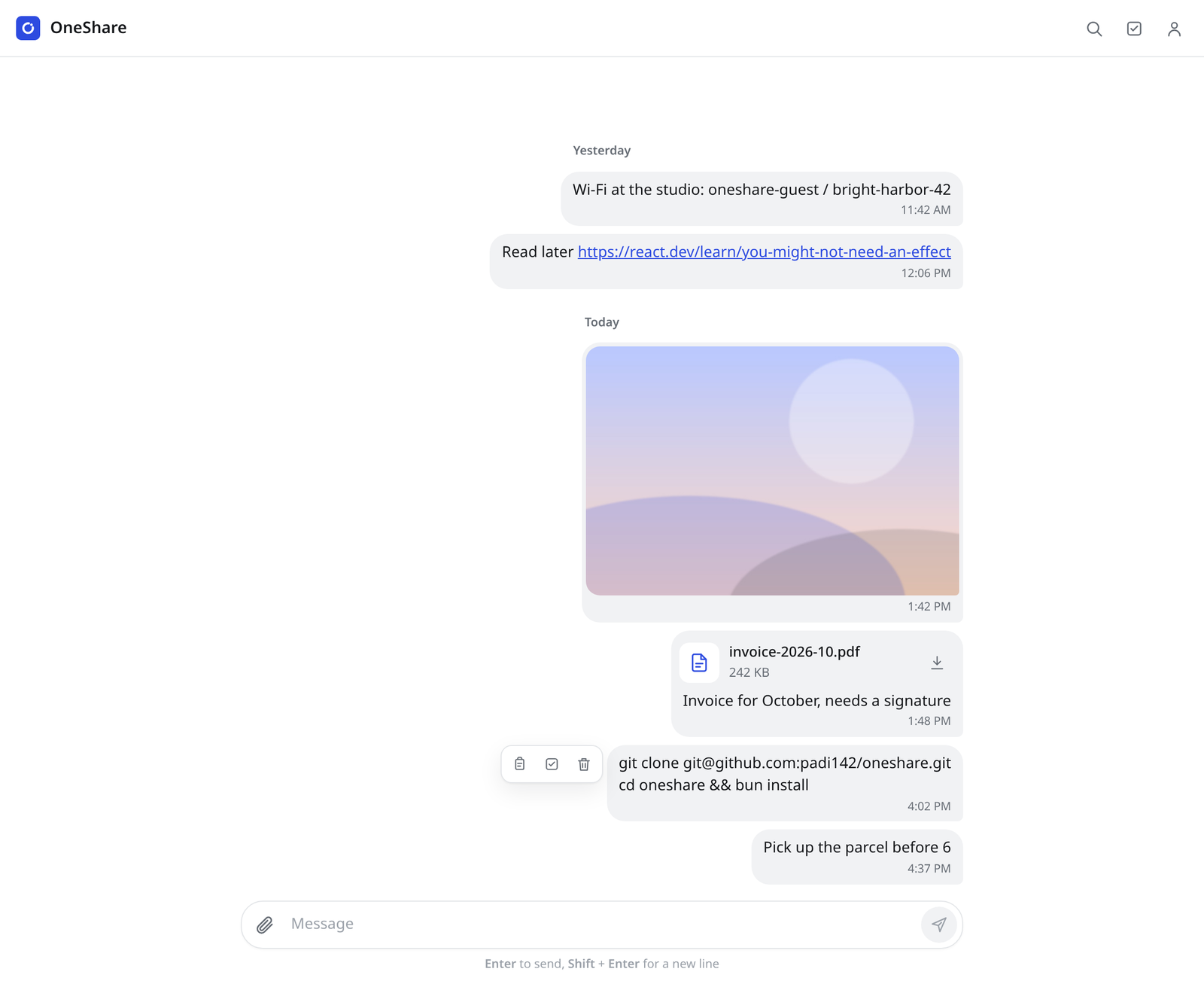
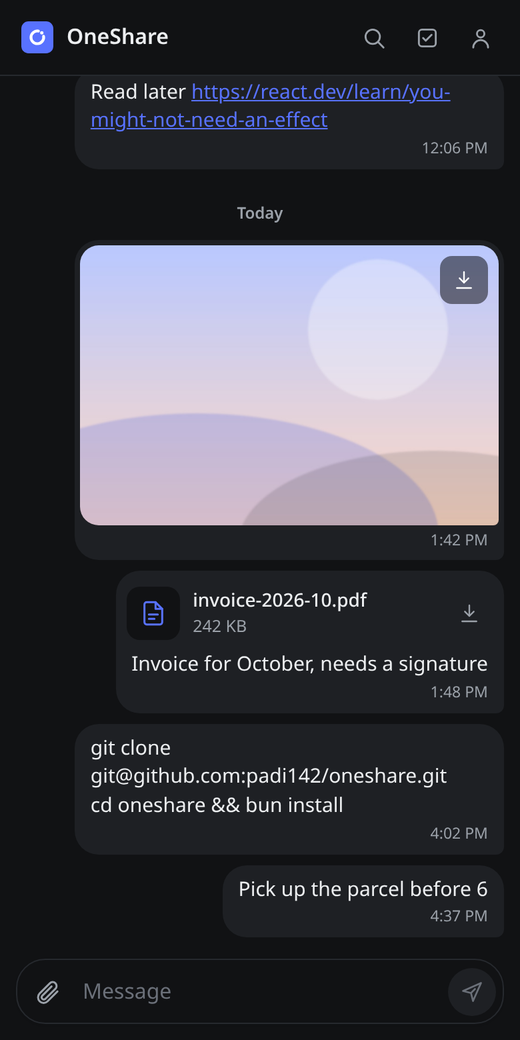
OneShare on desktop and on a phone
The why?
Moving a file from my phone to my laptop was always way more annoying than it should be. I frequently find myself copying over one small piece of text or a few photos between my laptop, desktop or even my phone. I have tried a bunch of solutions, like LocalSend and Telegram saved messages, but ultimately they all had some annoying quirks. But I really liked the UX of a chat window that Telegram has and the ease of use and the fact that the messages appear instantly on all of your clients.
In the end, I have decided to make my app. The idea was simple, a chat where the only person you are talking to is you. Send something from your phone, it pops up on your laptop. No pairing, no being on the same wifi, no "AirDrop but only if you own every Apple device". Also, I found myself prompting remotely from my phone a lot more so I also wanted a CLI that agents can use to send me stuff on the go.
One codebase, five platforms
I really didn't want to write the same app five times, so the whole UI is a single React + Vite app. On desktop it runs inside Electron, on Android and iOS inside Capacitor. No UI framework, just plain CSS with design tokens, so it adapts from a tiny 320 px phone to a big desktop window and follows the system light/dark mode.
For the backend I have used Convex, the same as for Hajzlfinder. I really like it for this kind of project, because queries are reactive by default. When a message is sent from a phone, every other device subscribed to the query gets the update over a websocket, without me writing a single line of sync code. Auth and file storage are included too, so the whole backend is just a couple of TypeScript files.
Files, files, files
Sending text is easy, files are where it gets interesting. You can drag files anywhere onto the window, paste images from the clipboard or on desktop even paste a file path and it attaches the file it points to. Uploads start the moment you attach something, so by the time you hit send, it is usually already done.
The part I have spent the most time on was downloading. I wanted it to feel like Telegram. You tap a file and it just opens in the app that can handle it, downloading it first if needed. No save dialogs, no hunting for it in the downloads folder. On desktop, files land in ~/Downloads/OneShare and never overwrite existing ones. On mobile it was a bit harder. Capacitor does not really do this out of the box, so I had to write small native plugins in Java for Android and Swift for iOS. Android opens files with the matching app and can even install APKs directly, which is super handy for sending my own app builds to my phone. iOS previews them in Quick Look.
CLI for me and agents!
Lastly, I wanted to send stuff to myself from a terminal. Like a build output from a server or a report that a script generated. So OneShare also has a small CLI, a single Node script that reuses the session from the desktop app:
oneshare report.pdf --message "Q3 numbers #work"It also has a --json flag for machine readable output, so it works nicely with AI agents too. I can just tell a coding agent to send me the result when it is done and it pops up on my phone. So convenient.